Part 3. The Software You're Already Paying For: Automation Hiding Inside Microsoft 365 and Google Workspace

At some point in the last few years, either Microsoft or Google started billing your town for a productivity suite. Maybe you made a deliberate choice between them. More likely, it happened the way most software decisions happen in small governments: somebody already had it, a grant covered the setup, and inertia handled the rest.
Whatever the path, you are now paying somewhere between $6 and $36 per user per month (even more if your licenses include the higher tiers) for a platform that does a great deal more than host your email and let people make spreadsheets. You are almost certainly using about 30% of what you're paying for. The part you're not using includes a meaningful chunk of automation.
This post is about finding that automation. Not buying it. Finding it. It's already in your invoice.
What's Actually in the Box
Both platforms ship with automation tools that, in any other context, you'd be paying a separate vendor for. They are not prominently advertised because neither Microsoft nor Google makes additional money when you use them; they're included features, which means they're usually buried four menus deep and described in documentation written for IT professionals who already know what they're looking for.
On the Microsoft side, the relevant tools are Power Automate, Power Apps, and the Forms and Lists features baked into Microsoft 365. Power Automate is a workflow builder. The tool that lets you say, "when someone submits this form, send an email to this person, create a row in this spreadsheet, and post a notification in this Teams channel." No code required. It ships with your Microsoft 365 license at the Business Basic tier ($6/user/month) and above, though the more sophisticated connectors (ones that talk to third-party systems) are locked behind the premium tier.
On the Google side, the relevant tools are Google Forms, Google Sheets with Apps Script, Looker Studio (the free reporting layer), and AppSheet, which Google acquired in 2020 and now bundles into certain Workspace tiers. Apps Script is particularly underused: it's a JavaScript-based automation layer that can do nearly anything across the Google Workspace ecosystem, and it's available on every paid plan. AppSheet, the no-code app builder, is included in Business Standard ($12/user/month) and above.
Neither of these is a full substitute for a purpose-built permitting system or a robust CRM. But both can handle a significant amount of what small governments are currently paying standalone vendors to handle. Specifically, the intake, routing, notification, and tracking workflows that most departments do dozens of times a day.
The Five Tools Most Often Cancelled After This Discovery
In practice, once small government teams actually dig into what their Microsoft 365 or Google Workspace license includes, a predictable set of standalone subscriptions becomes redundant. Based on common patterns in the field, here are the five categories that come up most often.
Form and survey tools. SurveyMonkey, JotForm, Typeform, Cognito Forms; all fine products, all charging between $25 and $150 per month for capabilities that Microsoft Forms and Google Forms largely replicate. Microsoft Forms connects natively to Power Automate. Google Forms connects natively to Sheets and Apps Script. If your use case is internal request routing, simple public-facing intake, or recurring surveys, you probably don't need the third-party subscription.
Basic workflow and approval tools. Zapier, Make (formerly Integromat), and similar connectors are genuinely powerful for complex multi-platform integrations. But about 60% of what small governments use them for is wiring together Microsoft or Google products with each other. Power Automate and Apps Script already do this natively. The Zapier bill for "send a Google Form response to a Google Sheet and email the department head" is, at this point, a tax on not knowing Apps Script exists.
Standalone scheduling and appointment tools. Calendly and similar scheduling products are useful. They're also, in most cases, redundant once you know that Microsoft Bookings is included in Microsoft 365 Business and that Google Workspace's appointment scheduling feature does largely the same thing. If your primary use case is residents booking inspections or permit consultations, the built-in tools handle it.
Simple reporting and dashboard tools. Tableau Public, basic Power BI add-ons, and similar lightweight reporting subscriptions frequently get cancelled once teams realize Looker Studio is free, connects to everything in the Google ecosystem, and produces professional-grade dashboards. Microsoft users making this discovery usually end up on Power BI desktop (also free for local use) before upgrading only if they need to share reports widely.
Lightweight internal wikis and intranet tools. SharePoint (included with Microsoft 365) and Google Sites (included with Workspace) are imperfect intranet tools, but they're functional ones. Small governments paying for Notion, Confluence, or similar products at the departmental level sometimes find that those subscriptions exist because nobody told the department head that SharePoint was already available. This one requires honest evaluation. SharePoint's interface is famously unintuitive, but it's worth checking before renewing.
The Honest Caveats
This section exists because the last thing a small government needs is to cancel a working contract in November, discover the built-in alternative is missing a critical feature, and spend December in crisis.
Licensing tiers matter more than you'd expect. Both platforms gate their best automation features behind mid-tier and premium plans. Microsoft's Power Automate premium connectors, the ones that talk to Salesforce, ServiceNow, DocuSign, and similar third-party platforms, require a standalone Power Automate per-user license (~$15/user/month) on top of your Microsoft 365 license. Google's AppSheet is similarly tiered. Before cancelling a third-party tool, verify that the built-in equivalent is actually included in your current license level, not the one above it.
Training friction is real. Power Automate and Apps Script are learnable by non-developers. They are not, however, immediately intuitive. A staff member who has been clicking through Zapier for two years will not be productive in Power Automate on day one. Budget time for the transition. Realistically, four to eight hours of focused learning before someone is building flows confidently. The savings are still usually worth it; just don't cancel the old subscription until someone has actually built the replacement workflow and tested it.
Feature equivalence is approximate, not exact. Google Forms cannot do conditional logic as elegantly as JotForm. Microsoft Bookings has limitations that Calendly doesn't. SharePoint is, by widespread consensus, a navigational experience that inspires strong negative emotions. These differences matter for some workflows and are irrelevant for others. The question to ask is not "is the built-in tool perfect?" but "is the built-in tool good enough for what we actually use this for?" Often the answer is yes. Sometimes it genuinely isn't.
Some integrations require the paid tier to work at all. If your workflows depend on connecting Microsoft or Google products to third-party platforms, your permitting system, your financial software, your state reporting portal, verify the connector exists and is included before assuming it works. A workflow that connects Google Sheets to a state database via an API may require Apps Script knowledge that your staff doesn't currently have, or a Workspace tier that's above your current plan.
The 90-Minute Discovery Exercise
Before the next renewal cycle, set aside ninety minutes with the person on your staff who is most comfortable with your productivity suite. You're not building anything today. You're just finding out what you have.
Pull up your current Microsoft 365 or Google Workspace admin console and look at your license tier. Write it down. Then look at what's included at that tier — not what your staff uses, what's included. Microsoft publishes a comparison table at microsoft.com/microsoft-365/business/compare-all-plans; Google publishes one at workspace.google.com/pricing. Read the automation-adjacent features listed: Forms, Power Automate, Apps Script, AppSheet, Bookings, Sites, whatever is in the list.
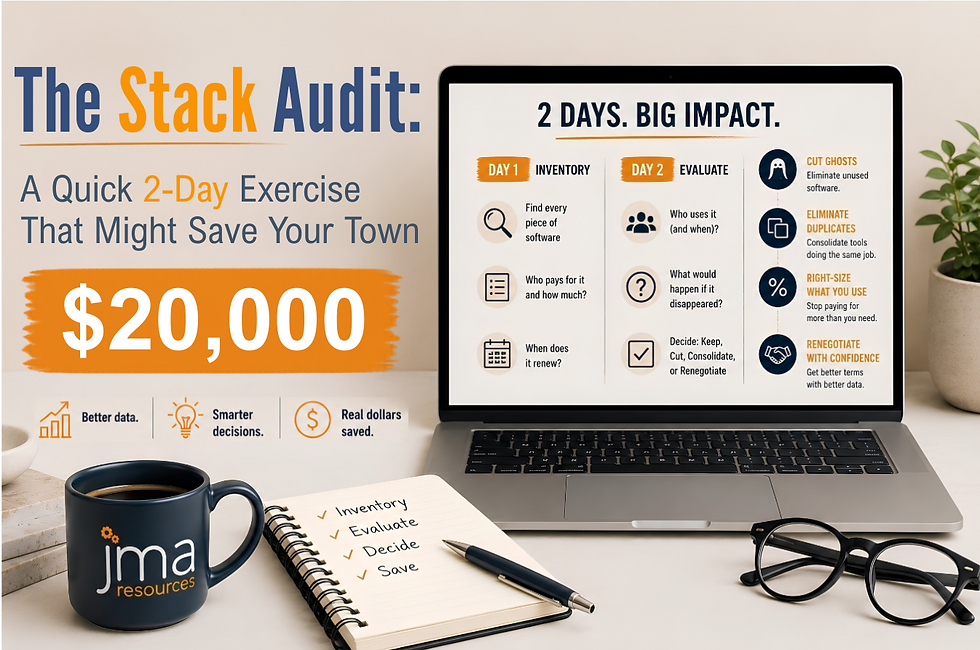
Then pull the list of standalone subscriptions from your Post 2 stack audit. For each one, ask: does my current productivity suite have a feature that does approximately this? If yes, flag it for a deeper look before the next renewal. You're not committing to cancel anything yet. You're just identifying the candidates.
Most small governments who do this exercise find two to four subscriptions worth investigating. A meaningful number find five figures of annual spend worth questioning; not because the standalone tools are bad, but because identical functionality was sitting inside a license they were already paying for.
Your Homework Before Post 4
One concrete action: find the admin console for your Microsoft 365 or Google Workspace account (if you don't have admin access, find the person who does), and look at your current license tier. Write it down next to your stack audit list from Post 2.
That's it. You're not making decisions yet. You're building the information you'll need to make them. The next post will give you a framework for what to actually do with it.
Next up: Cheap and Cheerful: A Short List of Tools Genuinely Worth Paying For.
About the Author: Layne Thompson is Senior Vice President at JMA Resources, Inc., where he leads Growth, Innovation, Research, and Development initiatives. With more than 30 years of experience spanning military service, federal leadership, private industry, and local government, he is passionate about helping communities implement practical, cost-effective technology solutions that deliver real results.
Layne previously served as Borough Manager for the Borough of Mechanicsburg, Pennsylvania, from December 2022 through December 2025.